Waky - AI Alarm, Mission Wake-up Alarm · Habits
com.waky.android
- Test period
- 2026-09-01 – 09-14 (14 days)
- Track
- Closed testing · South Korea
- Tester accounts
- 12 (required: 12)
- Kept installed
- Until 2026-09-21
Production access requirements met
12 testers kept the app installed for 14 consecutive days (required: 12 testers · 14 days), with a record of the app being opened every day. You can apply for production access in Play Console from 2026-09-14.
At a glance
Aggregated automatically from device run logsDevices installed
12
All kept it 41+ days
Successful runs
99.6%
502 / 504 runs
Reached main screen
99.8%
501 / 502 runs
Updates received
3
1.0.9 → 1.2.0
Issues found
2
See ‘Issues found’ below
Summary
The paragraph below was written by AI from this report's records only and is for reference. Please verify the facts yourself.
Over the 14-day closed test, 12 devices kept the app installed and ran it 3 times a day, 504 runs in total. On day 4, two devices failed to draw the first screen within 10 seconds and were recorded as failures; the symptom did not appear again from version 1.1.0, released the same day. The version was updated three times during the test, from 1.0.9 to 1.2.0.
Daily run log
12 devices × 14 days| 1 | 2 | 3 | 4 | 5 | 6 | 7 | 8 | 9 | 10 | 11 | 12 | 13 | 14 | |
|---|---|---|---|---|---|---|---|---|---|---|---|---|---|---|
| FoxSM-A346N | ||||||||||||||
| OtterSM-A536N | ||||||||||||||
| ChipmunkSM-M236L | ||||||||||||||
| HedgehogGalaxy A25 | ||||||||||||||
| RaccoonSM-A136L | ||||||||||||||
| MoleSM-A346N | ||||||||||||||
| MartenSM-A528N | ||||||||||||||
| BadgerSM-A336L | ||||||||||||||
| DeerSM-A546N | ||||||||||||||
| RabbitSM-A236L | ||||||||||||||
| WeaselSM-M336N | ||||||||||||||
| SquirrelSM-A146N |
First-launch path
Checked on the first installed device · Fox · 2026-09-01 09:40On the first device to install the app, we opened it and found the path through onboarding to the main screen. For the other devices and every daily run, we recorded whether they reached the main screen along this path. The screens below are where three different devices landed on their first launch.
- 1
Good morning!
Tapped ‘Get started’
- 2
Allow notifications?
Tapped ‘Allow’
- 3
Set your alarm
Swiped to next page
- 4
Set wake-up time
Tapped ‘Skip’
- !
After 4 steps
No record

2026-09-01 09:41 first launch
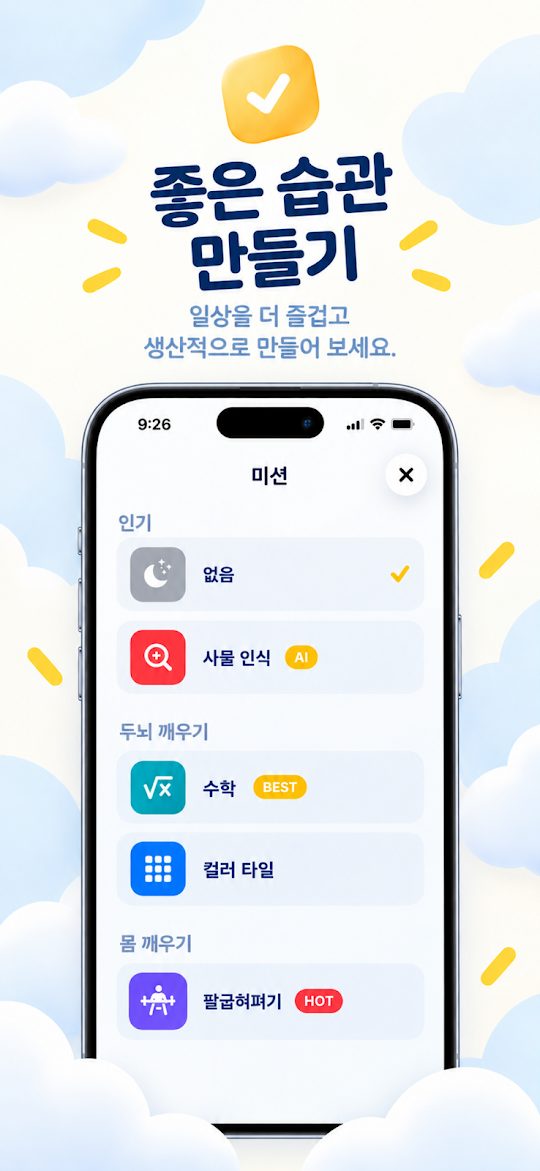
2026-09-01 09:45 first launch
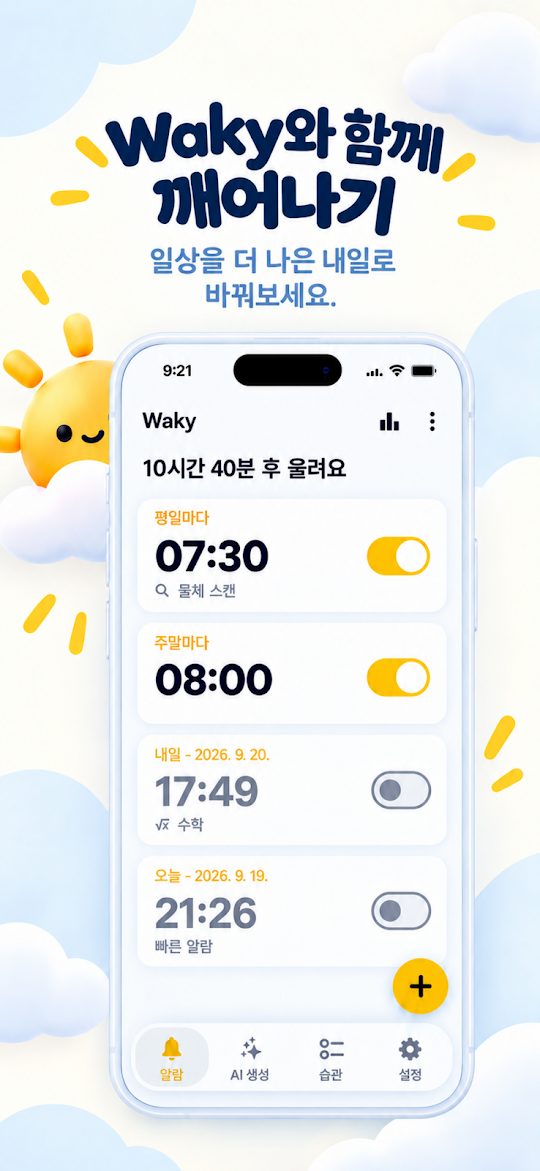
2026-09-01 09:52 first launch
| 1.0.9 path | 4 steps | Stopped |
| 1.1.0 recheck | 4 steps | Stopped |
We never tap through screens that require signing in, payment, or personal information. For such apps, we only record up to that screen.
Version history
Play Store update → devices| Version | First detected | Devices | Time to all devices | Successful runs | |
|---|---|---|---|---|---|
| 1.0.9 (12) | 2026-09-01 09:00 · first install | 12 | — | 106/108 | |
| 1.1.0 (13) | 2026-09-04 09:00 | 12 | 6 hr | 144/144 | |
| 1.1.1 (14) | 2026-09-08 09:00 | 12 | 4 hr | 144/144 | |
| 1.2.0 (15) | 2026-09-12 09:00 | 12 | 5 hr | 108/108 |
Issues found
Detected automatically from run resultsApp process disappeared right after launch 2×
The app's process was gone shortly after launch. It may have crashed. It didn't happen again in the latest version, 1.2.0.
- 1.0.9 · Fox (SM-A346N, Android 14) · 2026-09-04 12:00
- 1.0.9 · Otter (SM-A536N, Android 13) · 2026-09-04 12:12
Launched, but didn't reach the main screen 1×
Runs where a screen not on the first-launch path (an update prompt, a notice popup, etc.) appeared and the main screen wasn't reached. We recheck the path whenever a new version arrives.
- 1.1.1 · 2026-09-08 · 1× · 1 device
Test devices
Real Android devices · installed from the Play Store| Model | Android | Devices | Successful runs | Reached main screen |
|---|---|---|---|---|
| SM-A136L | 12 | 1 | 100% (42/42) | 97.6% |
| SM-A146N | 14 | 1 | 100% (42/42) | 100% |
| SM-A236L | 13 | 1 | 100% (42/42) | 100% |
| Galaxy A25 | 14 | 1 | 100% (42/42) | 100% |
| SM-A336L | 12 | 1 | 100% (42/42) | 100% |
| SM-A346N | 14 | 1 | 97.6% (41/42) | 100% |
| SM-A346N | 13 | 1 | 100% (42/42) | 100% |
| SM-A528N | 13 | 1 | 100% (42/42) | 100% |
| SM-A536N | 13 | 1 | 97.6% (41/42) | 100% |
| SM-A546N | 14 | 1 | 100% (42/42) | 100% |
| SM-M236L | 13 | 1 | 100% (42/42) | 100% |
| SM-M336N | 13 | 1 | 100% (42/42) | 100% |
Reference for the production access questionnaire
Answers are written by the developerHow easy was it to recruit testers for your app?
Record · 12 real Android devices from a testing service (DUIRE) took part in the closed test with 12 tester accounts.
Describe the engagement you received from testers during your closed test
Record · 2026/09/01 – 2026/09/14 (14 days), installed on 12 devices and opened every day for 14 days, 502 of 504 runs successful (99.6%), every device kept the app installed for 41+ days.
Provide a summary of the feedback you received from testers, and how you collected it
Record · The device run logs show 2 failed runs.
What changes did you make to your app based on what you learned during your closed test?
Record · 3 new versions released during the test (1.0.9 → 1.2.0): 1.1.0 detected 2026/09/04 · installed on 12 devices, 1.1.1 detected 2026/09/08 · installed on 12 devices, 1.2.0 detected 2026/09/12 · installed on 12 devices.
How did you decide that your app is ready for production?
Record · 99.6% success rate across 504 device runs over 14 days, with 3 updates installed on every device.
This report is for reference only
Answering the production access questionnaire based on this report's records and summary does not guarantee your application will be approved. It is reference material only; the questionnaire must be answered by the developer, personally and thoroughly, based on the app and the testing process.